
Issues with Yazi and Keybindings
Intro
Hey all, Well I spent way too much of my Sunday trying to figure out why Yazi wouldn’t display the editor menu properly… turns out it’s due to how my terminal relays key combinations.
READ THIS FIRST 👍 https://sw.kovidgoyal.net/kitty/keyboard-protocol
Orig Yazi Keymap
So this config was NOT working for my keymap, BUT it does work!
The interesting issue is that on my work Mac, I didn’t need to add any tweaks to get the shfit + enter editor option.
For reference shift+o does work regardless of the terminal emulator used.

[mgr]
prepend_keymap = [
  { on = "<enter>", run  = "plugin fast-enter", desc = "Enter the subfolder faster, or open the file directly"},
  { on = "<S><enter>", run = "open --interactive", desc = "Interactive open" },
]
Docs -> https://yazi-rs.github.io/docs/configuration/keymap
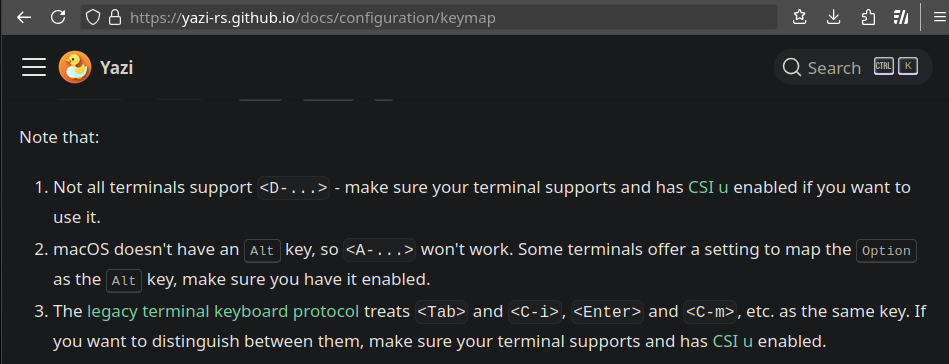
The legacy terminal keyboard protocol treats
<Tab>and<C-i>,<Enter>and<C-m>, etc. as the same key. If you want to distinguish between them, make sure your terminal supports and has CSI u enabled.
CSI u -> https://sw.kovidgoyal.net/kitty/keyboard-protocol/
To fix Wezterm
The fix for Wezterm was easy enough, I just had it respect the settings for CSI_u and Kitty and everything was working again.
https://wezterm.org/config/lua/config/enable_csi_u_key_encoding.html
.config/wezterm/wezterm.lua
config.enable_kitty_keyboard = true
config.enable_csi_u_key_encoding = true
To fix Guake?
I also REALLY love Guake but I was not able to figure out a simple fix for it
On my Mac I just use iTerm2 for my dropdown term, so I never noticed the issue… go figure? 🤷
Seems to be a limitation of VTE?
ℹ️ Also works fine with Ghostty out of the box 👻
If anyone can give me any pointers with this, feel free to drop me a email or a DM. Thanks!
Reply:
Mastodon Bluesky Email